SPECIFICATIONS
Brand Name: YHKEMA
Certification: CE
Choice: yes
High-concerned chemical: none
Model Number: EB20
Origin: Mainland China
DESCRIPTION
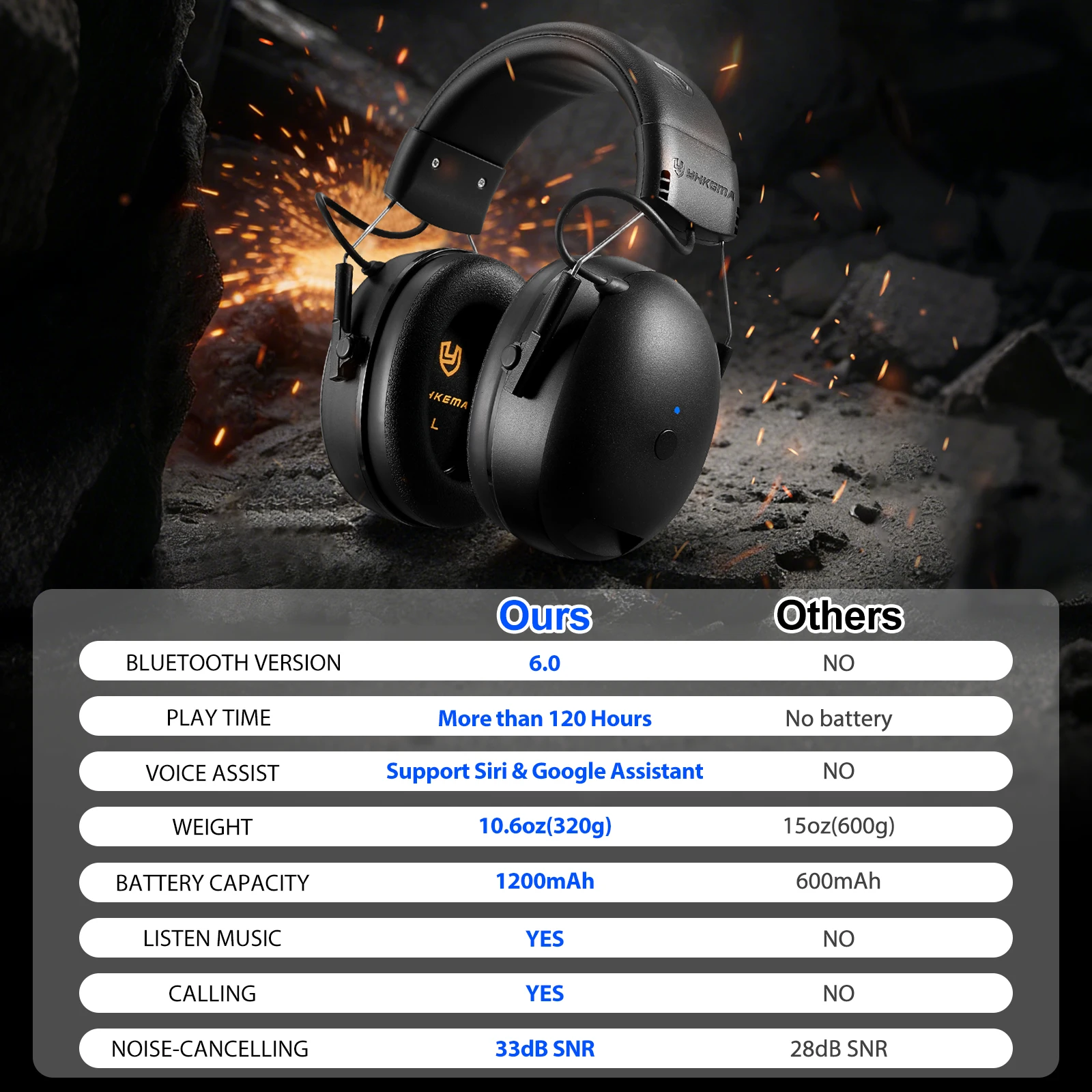
-HKEMA's EB20 Bluetooth hearing protection headset provides effective hearing protection in noisy environments while providing high-quality audio sound and color.
-It is equipped with the latest Bluetooth 6.0 technology, which makes it extremely convenient and smooth for users to listen to music and receive calls.
-At the same time, the headset is a rechargeable headset, which can be charged with a household Type-C cable.
SPECIFICATIONS
Battery Capacity: 1200 mAh
Battery Life: Up to 120hours
Charging Current: 1A
Operating Current: s 15 mA
Operating Temperature: -20°C to 50°C
Safety&MaintenanceInformation
For optimal protection, ensure the ear cushions seal firmlyagainst your head.
Earmuffs should be inspected regularly for cracks or wornparts and replaced if necessary.
-
Clean the exterior of the headset with mild soap and warmwater.
Do not immerse the headset in water.
OPERATION INSTRUCTIONS
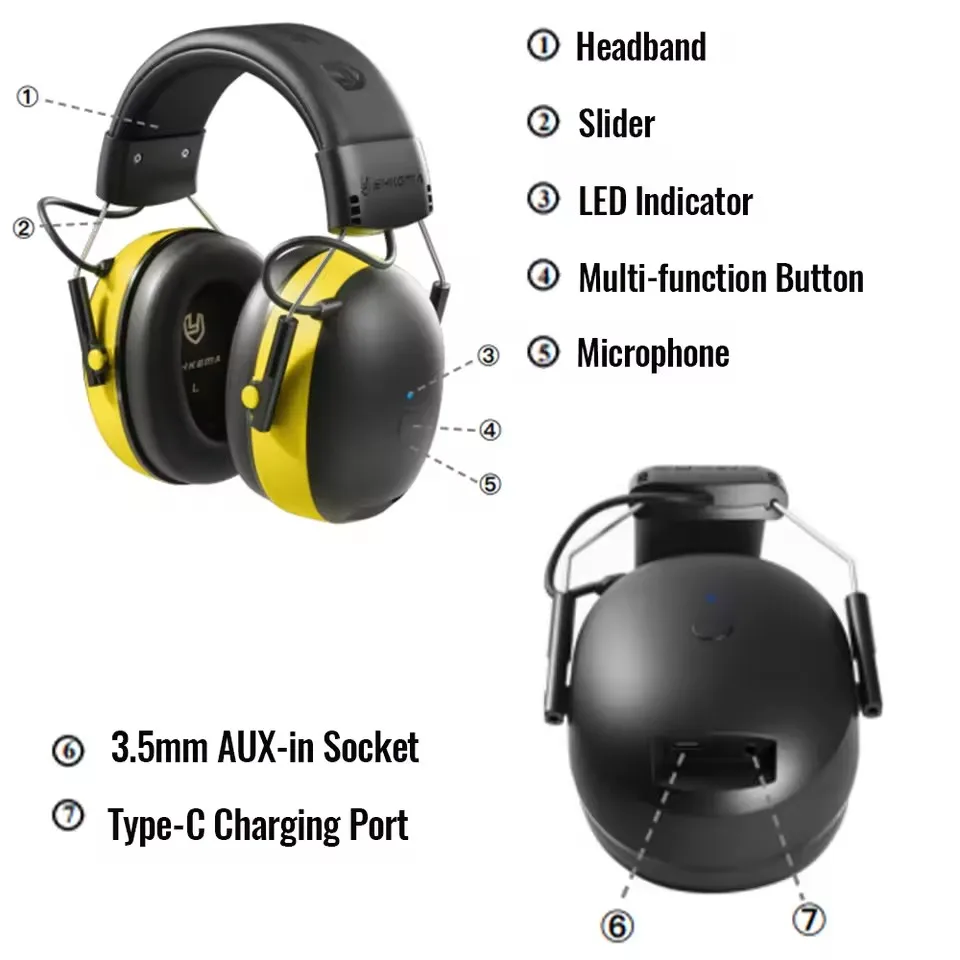
Adjust the headband by extending both sliders so the earmuffsfully cover your ears.Shorten the sliders until the headset fits comfortablyandsecurely.
Press and hold the Multi-function Button for 2 seconds to poweron.You will hear "Power On" and a battery level prompt such as"Battery Medium" or "Battery Low"
Press and hold the button for 4 seconds to power off.
You will hear "Power Off".
The headset enters Bluetooth® pairing mode automatically when powered on.
The LED indicator flashes blue,you will hear "BluetoothPairing On"
The BluetoothR device name is EB20
Once connectedsuccessfully, you will hear"Bluetooth Connected".
The headset will automatically reconnect to the last paired device.
Press and hold the Multi-function Button for 7 seconds to clearthe pairing list.If there is no connection to a paired device, the headset willautomatically power off after 5 minutes.
Press once: Play /Pause music
Press twice: Next track
Press three times: Previous track
Press once: Answer an incoming call
Press and hold: Reject an incoming call
Press once during a call: End call
The headset automatically switches to AUXmode whena3.5mm audio cable is connected
Adjust the volume directly from the connected device.
Connect the headset to a power source usingthe Type-Ccharging cable.
The LED indicator lights red during charging and switches offwhen fully charged.
(Warm reminder: Do not open the battery compartment or attempt toreplace the battery yourself.)